

Manufacturer: Epomaker
Where to Buy: Epomaker
RRP: $89.99
As we get more and more into PC gaming, we’re always on the lookout for peripherals to add to our set up. Epomaker were recently kind enough to send over both the TH108 V2 Pro (review here) keyboard and the new Carbonis mouse (the subject for this review) for us to check out. Both have proven to be great additions, easy to use with a good selection of customisation options to boot.
The Carbonis is designed for right handed players only as opposed to a more neutral ambidextrous design. This allows those of us who play this way to have a more natural grip. The outer shell is made of a carbon fiber composite, and it feels smooth with a slightly textured grip in the hand. There are also small ridges on the thumb side to support different hand positions subtly, and it glides around on our mouse mat nicely, with just the right amount of friction. The buttons have a slight click to them, loud enough to register but not so much that it’ll get monotonous during long play sessions.
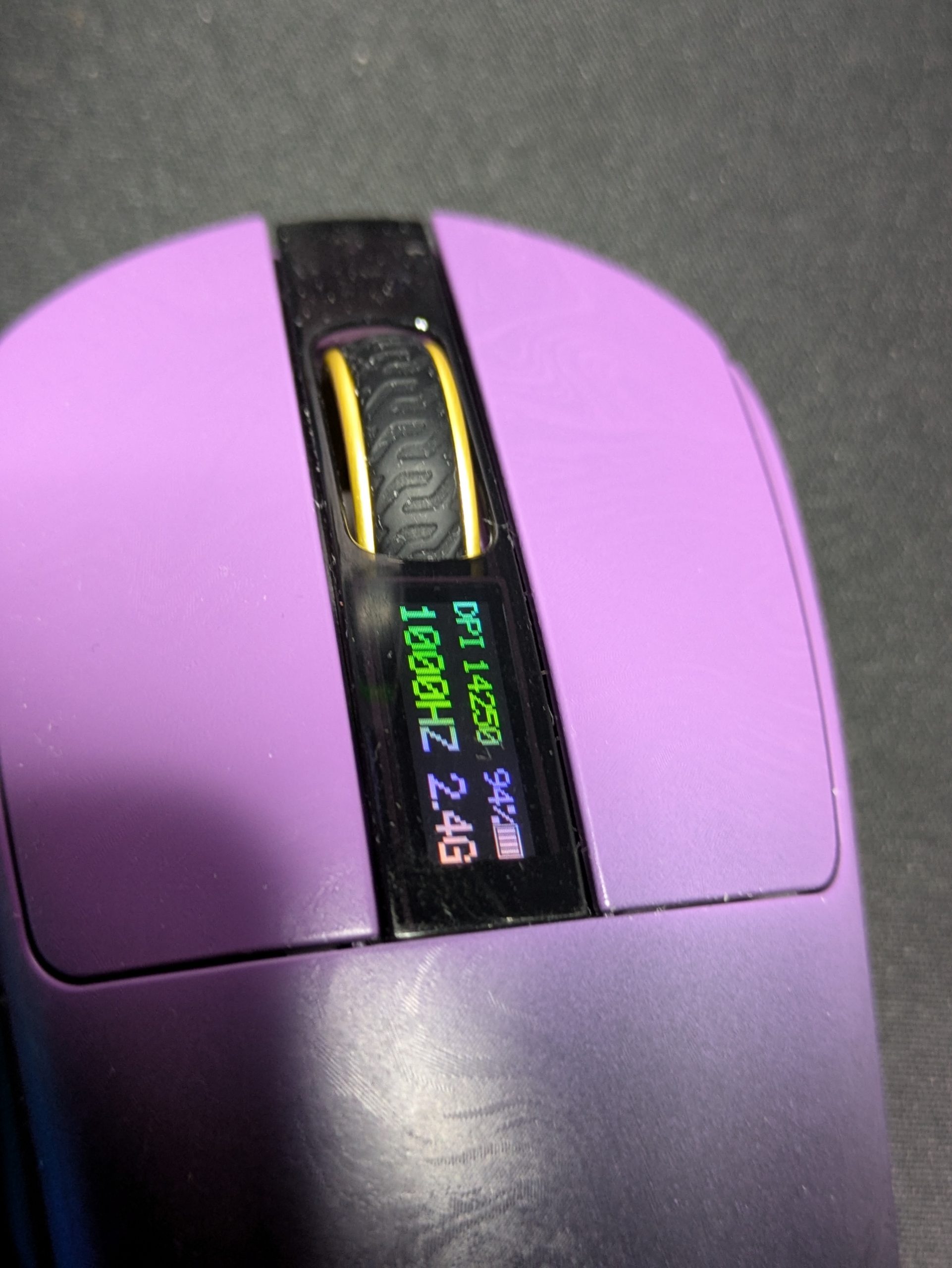
We also get the usual array of scroll wheel and side buttons to play with. The DPI is adjusted by a button on the bottom of the mouse, which I’m generally not a fan of (I much prefer having it on top in an easily accessible way), but then again DPI is most often a set and forget kind of thing so it’s hardly a deal breaker.
What does go someway to mitigating this is the inclusion of a built-in display just next to the scroll wheel. Here, we can see DPI, polling rate (from 1K up to 8K), battery life and connection mode. It’s a neat touch that saves us having to memorise a certain set of colours or set ups when we’re using it. It isn’t on all the time (it comes on periodically), but a press of the DPI button flashes it up for us to check if we need to see it.
All of these details can be adjusted on the mouse itself with various button combos, or on the web-based application. This allows us to set up DPI values for the five settings, colours, polling rates, sleep timers and the like. It’s an easy to use site, and offers plenty of customisation to make the Carbonis fit the bill. It might not be as expansive as the recent Razer Viper V4 Pro’s options, but it’s plenty good enough for all but the most hardcore user.
The Carbonis can be connected with three methods; wired, BlueTooth, or with the included 2.4ghz dongle. The latter is attached via the included cable, meaning it can have a slightly longer range. Ideal for my setup as I’m often about 10ft from my PC playing on my TV, and having the dongle connected in this way means I can get it plenty close enough to my seat in this instance.
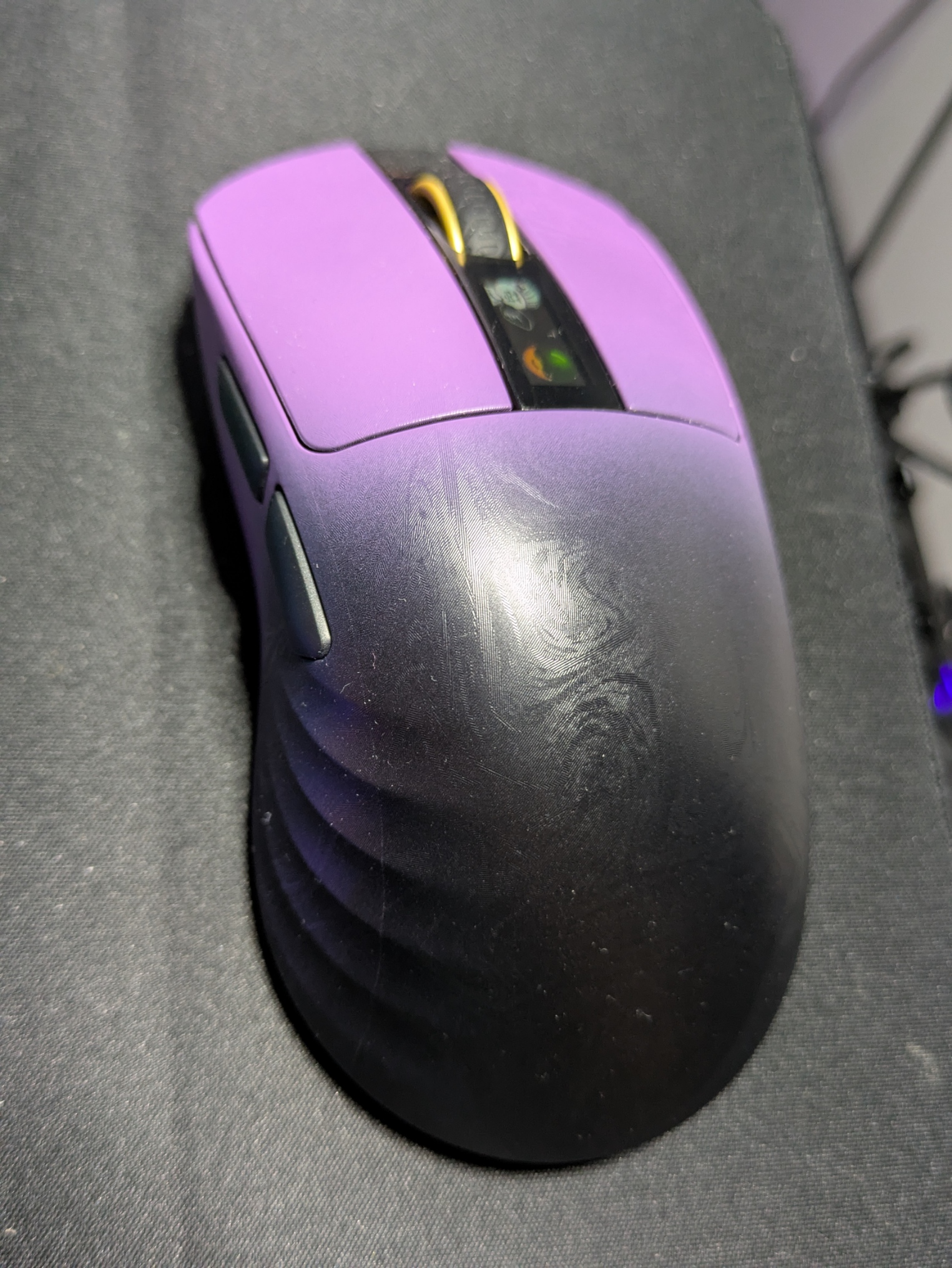
I’ve been using the Carbonis for a few weeks now, and it has been a great companion. Industria 2 may not have hit the mark for me, but the mouse held up its end of the deal brilliantly. It’s light at 50grams, and the texture and buttons have made it one of the better mice I’ve personally used. I like the addition of the display on it (not to mention the little easter egg that pops up from time to time) and, at least for the purple and black one I was sent, it has a great aesthetic as well.
The main drawback I’ve found is that the battery hasn’t lasted as long as I’d expect. I’ve had to recharge it a few times in the last few weeks, which is admittedly a pretty quick process and it can be used at the same time, but I’d say it’s lasted roughly a couple of days per charge (at 1K polling via 2.4ghz connection) which is quite a bit shorter than some of the other devices I’ve reviewed recently. Again, not a huge dealbreaker thanks to the included, lengthy cable, but something to bear in mind all the same.
Conclusion
Short battery life aside, the Epomaker Carbonis is a great choice for gaming. It feels great in the hand, has a good suite of customisation options that can be done online or directly on the mouse, and the inclusion of the display for information on the status of things like DPI is a cool touch. At £90 it’s not the cheapest option, but nor is it the most expensive, and the performance and features feel justified by that price tag in my opinion.
Hardware provided by the manufacturer for review purposes.Want to keep up to date with the latest Xt reviews, Xt opinions and Xt content? Follow us on Facebook, Twitter, and YouTube.


