Manufacturer: Razer
RRP: £159.99
Where to Buy: Razer
Over the last year, I’ve been slowly creeping into more and more PC-based gaming. Xbox’s Play Anywhere approach helped me justify a decent PC, and now I can finally explore that massive Steam library that was built through countless Humble Bundles and Steam sales. Part of this newer approach is finally learning proper keyboard and mouse usage, and I’ve been lucky enough to check out some excellent kit for the site so far. Now, Razer have sent us a Viper V4 Pro to play with and, while I’m not going to be entering the MLG anytime soon, I can see why is is the mouse of choice for the pro’s. It feels fantastic to use, has a bunch of awesome customisation features, and even (whisper it) made me feel half decent while playing…
The full tech specs can be found at Razer’s site, and it reads like a laundry list of what even semi serious players are after; up to five DPI settings can be toggled though, customisable from 400 all the way up to 50000 (!); up to 8K polling rate, with 45 hours battery life at the top end, and 180 hours at 1K; super light at <49g (though the white version is listed as <50g); and an optical scroll wheel, a 50K Optical sensor, and super responsive optical mouse switches for near instantaneous mouse clicks are the most immediate things to catch the eye.
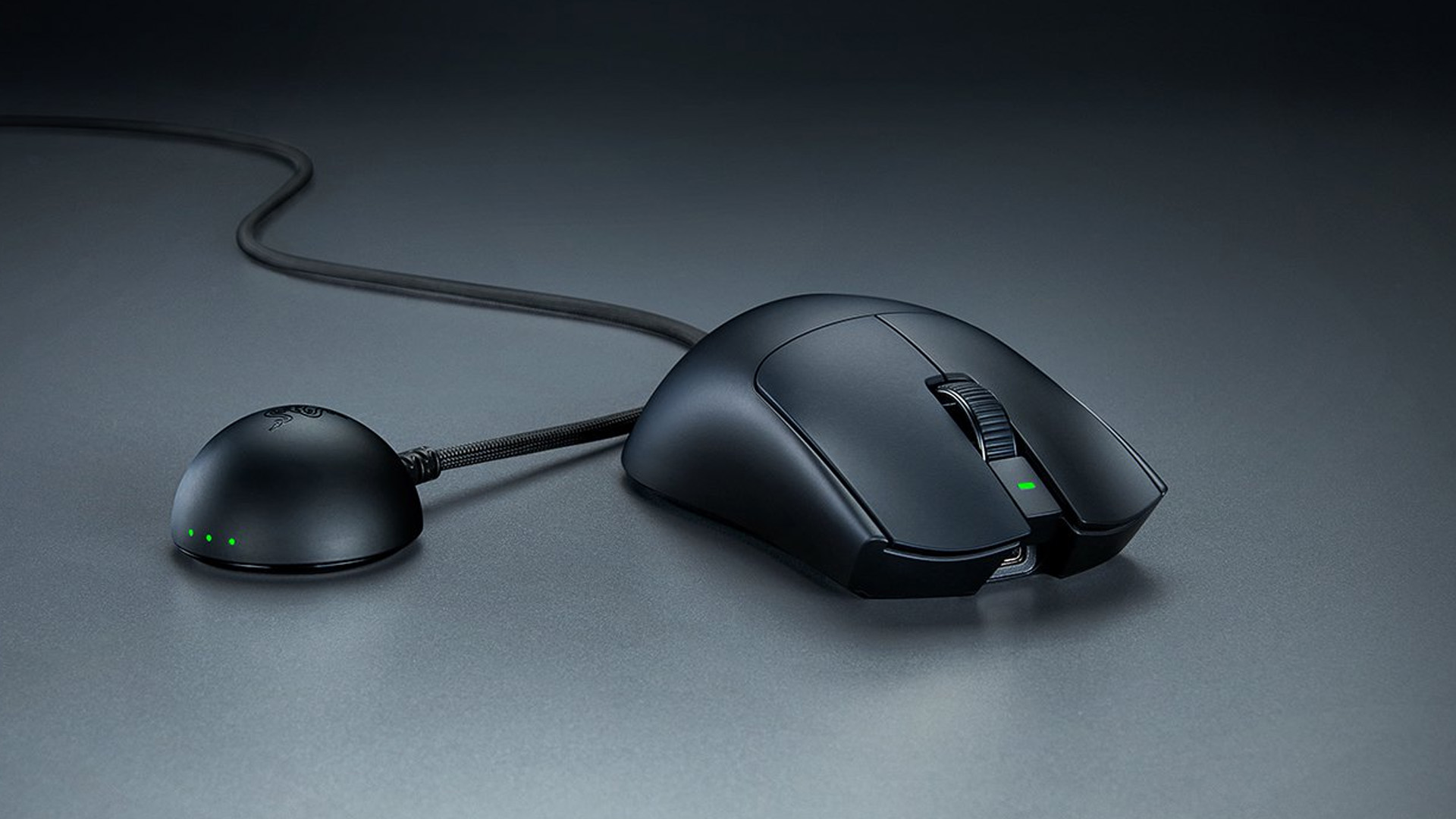
It’s all very nice on paper, but what this translates to in the hand is a mouse that feels simply excellent to use, be it for gaming or working. The first thing that struck me was that, despite a smoother look to the body of the Viper V4 Pro, it’s actually got a good amount of grip to it. I’ve used a few mice in the past that were too smooth, and while it’s not like they were sliding out from under my hand I was finding myself having to adjust my grip slightly every so often – something I’ve not noticed with the Viper at all.
Those responsive, clicky buttons are great too. Official specs list response times at 0.204ms at 8K polling thanks to the new gen of Razer’s HyperSpeed wireless, though I’ve had mine set to 4K mostly which has been excellent for my usage. Again, pro level players will no doubt appreciate the extra milliseconds with 8K, as well as the motion latency in the Viper V4 Pro, which is listed at 0.36ms – reportedly 2.5x faster than other mice in testing. Again, I’m no pro level gamer but I can say I felt the difference in my staple multiplayer game of Fortnite. I’ve always struggled with mouse on this title, but I actually held my own far better using this.
While the mouse is wireless (although can be used wired), it comes with a redesigned Hemisphere dongle that must be plugged in with the USB A to C cable. It sits pretty discretely on my desk set up, and uses three coloured lights to show us the status of the mouse; one each for DPI setting, Polling Rate, and Battery life. These can be customised to show information in any order, as well as changed to show connection quality, or simply off if for some reason you already have enough RGB on your set up (impossible). It has a mildly grippy base and holds firm even on my smooth desktop, and the cable is long enough to let us place it a good way away from the PC itself should we need to.
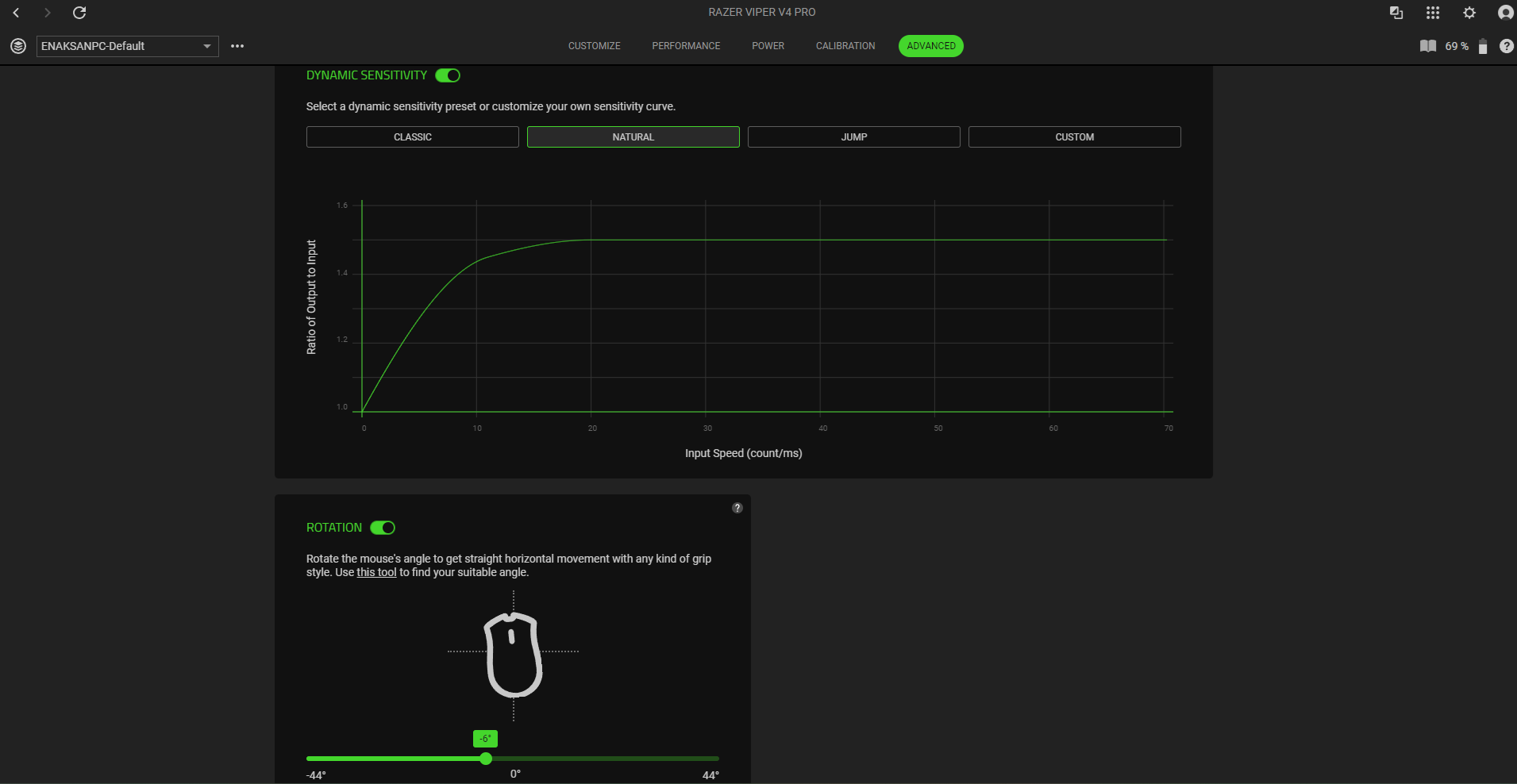
The other cool thing that I’m not even going to pretend to truly understand is within the 50K Optical sensor. This is a highly sensitive bit of kit, able to track things like the lift off distance on any surface, or the difference down to 1 DPI that can be customised in the Synapse app. But two key features are the Frame Sync and mouse rotation. The former syncs up frames with the polling of the mouse, saving both battery life and improving response times as opposed to the mouse auto polling constantly. Again, it’s all very technical but in practice the mouse feels brilliantly responsive. The mouse rotation allows us to set a ‘default’ angle, basically letting our hand rest more naturally with the mouse compensation for the movements with the angle of our hand. It can take a little bit to get it just right, but it’s something that you’ll notice is gone, I feel, if you go back to another mouse without it.
All of these customizations are implemented in the Razer Synapse app as usual, with clean, easy to read layouts. There is also now a web-based version for quick, install free use that performs exactly the same functions. It’s still in beta, but loading it up instantly recognised my mouse settings that I’d already prepared in Synapse, so it’s a great alternative to installing the app should you need it.
Conclusion
All that is to say, I’ve very much enjoyed using the Viper V4 Pro over the last few weeks. It’s perfectly easy to set up and play with for players like myself who are weaning themselves off of controllers where they can, while the options to customize it to an insane degree makes it great for hyper competitive players as well – something evidenced by eSports pro Faker being a key consultant on it. I’m not going to pretend I’ll be competing at his level any time soon (or ever) but it certainly is a fantastic bit of kit that I feel has made a difference to my ability to compete even at my level. From Fortnite to Marathon, to various single player titles (reviews coming soon) it has been a joy to use and, in my eyes, is worth every penny.
Hardware provided by the manufacturer for review purposes.Want to keep up to date with the latest Xt reviews, Xt opinions and Xt content? Follow us on Facebook, Twitter, and YouTube.