

Mobile gaming is huge, obviously, but for more traditional players it’s becoming a larger and larger part of the offering. Game Pass and it’s cloud streaming service goes form strength to strength, adding not on GP games but some of our own library, a lot of the time with touch enabled controls to save lugging a game pad around. I’ve personally never been a fan of these – I don’t use it enough to become accustomed to them – but now, we have PUK coming in to try and make at least part of the interaction a bit more traditional feeling. And, in the main, it does so pretty well.
PUK have a range of accessories on offer including grips, triggers, a link cable, and todays assignment, the Thumbstick. This gives a surprisingly nice faux-analogue stick feel to playing and is super simple to set up.
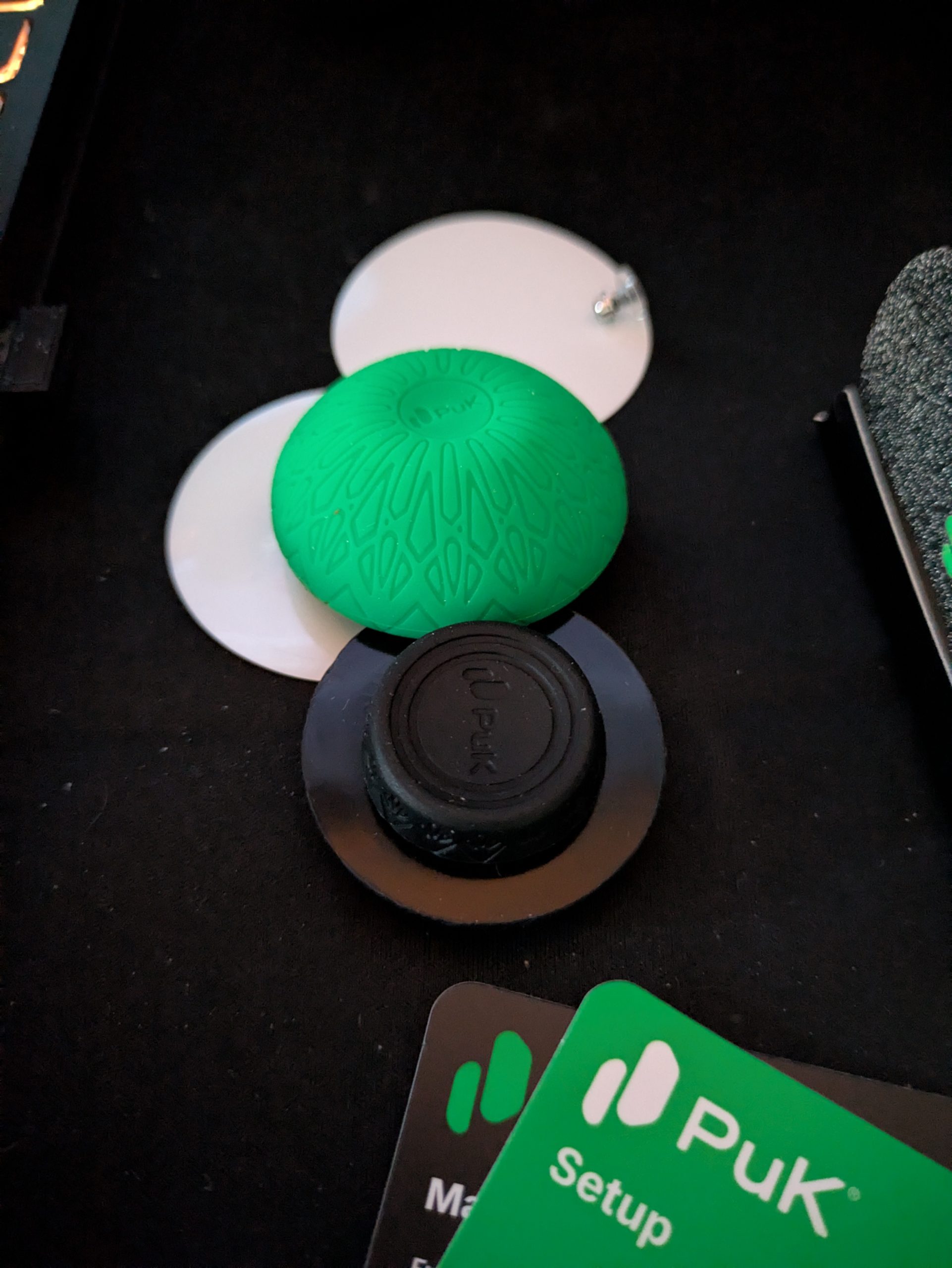
Coming in a tiny box, we get a green, mushroom-like bulb within. Housed in this is the magnetic thumbstick, casing, an backpad. It’s a neat initial impression, and will be very easy to slip in a pocket or backpack without taking up much room at all. There are also some extra screen protection sheets and a thumb sleeve which are nice Brucie bonus.
Take off the green cap, and we’re left with the stick and backing pad, which come apart easily but when placed on the phone hold a very strong connection indeed. Load up a game of Vampire Survivors on Game Pass, and we can see the virtual analogue stick on the screen. We simply need to place the thumbstick on this area, and place the backing pad on the rear of the phone and we feel it click into place with a satisfying magnetic pull (magnets huh? How do they work?).
From here, we simply play as usual, albeit with far more feedback than a virtual stick could ever convey. While it’s not as precise as a controller stick that’s housed in a limited space, I have to admit being more won over with the PUK Thumbstick than I thought I’d be. Going back to Vampire Survivors, it genuinely felt much more enjoyable to play with this on the screen, with me being able to more accurately dodge to incoming hordes (at least up to my usual skill level, which is pretty poor to begin with).
Wreckfest is slightly more taxing on the control schemes, with weighty cars and multiple buttons to input with as well and, well, the PUK held up admirably. Whether racing or derbying, I felt far more in control of the car than with the regular tough controls, while navigating even something like the menus was a more pleasant experience too.
I dabbled in a bit of Shredders Revenge and Fortnite as well, both works very well indeed despite my apparent lack of skill in the latter on mobile. Controlling our character feels far more console like, and I actually really liked the way the thumbstick snaps back to a central position thanks to the magnetic connection. It’s also surprisingly hard to push it far enough that the magnetic connection breaks. Within my thumbs natural range, it always snapped back to centre without issue.
My only misgiving with it is that, unlike a virtual stick where you can lift you thumb to see, the PUK by its very nature blocks a small chunk of the screen. It’s an inherent problem with mobile gaming, especially these cloud games, but the trade off for more fine control feels worth it in the main, even if occasionally we might not be able to see the character select screen properly or health bars might be obscured slightly. But it is so easy to pop off and on again this is really only a small misgiving.
Conclusion
All in all, I’m quietly surprised with how much I’ve enjoyed using the PUK Thunmbstick. It makes mobile gaming – especially those on Game Pass Cloud play – far more natural feeling, and is so easy to set up and use, as well as small enough to carry, that anyone who spends even a small time playing this way would do well to add it to their on the go bag.
Hardware provided by the manufacturer for review purposes.Want to keep up to date with the latest Xt reviews, Xt opinions and Xt content? Follow us on Facebook, Twitter, and YouTube.


