

Manufacturer: Nacon
Where to Buy: Nacon/REV X Anniversary Edition
RRP: £179
As a player who has to replace his controller due to controller wear and tear more frequently than I like, I appreciate all 3rd party controllers providing decent and, in many eyes, better alternatives than the native controllers. I recently forked out for an impressive Turtle Beach Stealth controller and the reason I bring it up is because I see a lot of similarities between that and the Nacon Revolution X Unlimited.

At £179 you should be expecting a premium wireless controller and that is what Nacon have delivered. It competes and matches everything the Turtle Beach controller has with some pros and cons which I will dive into.
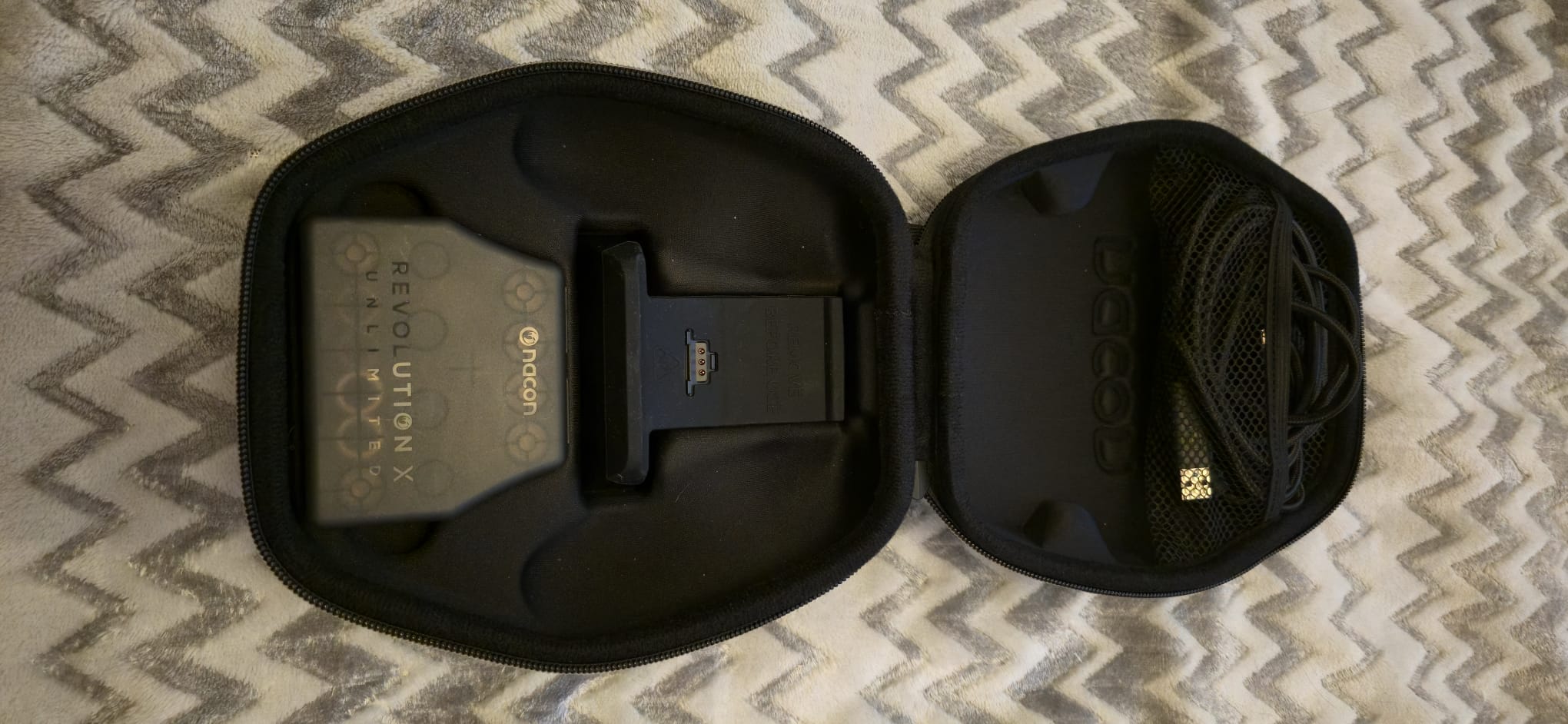
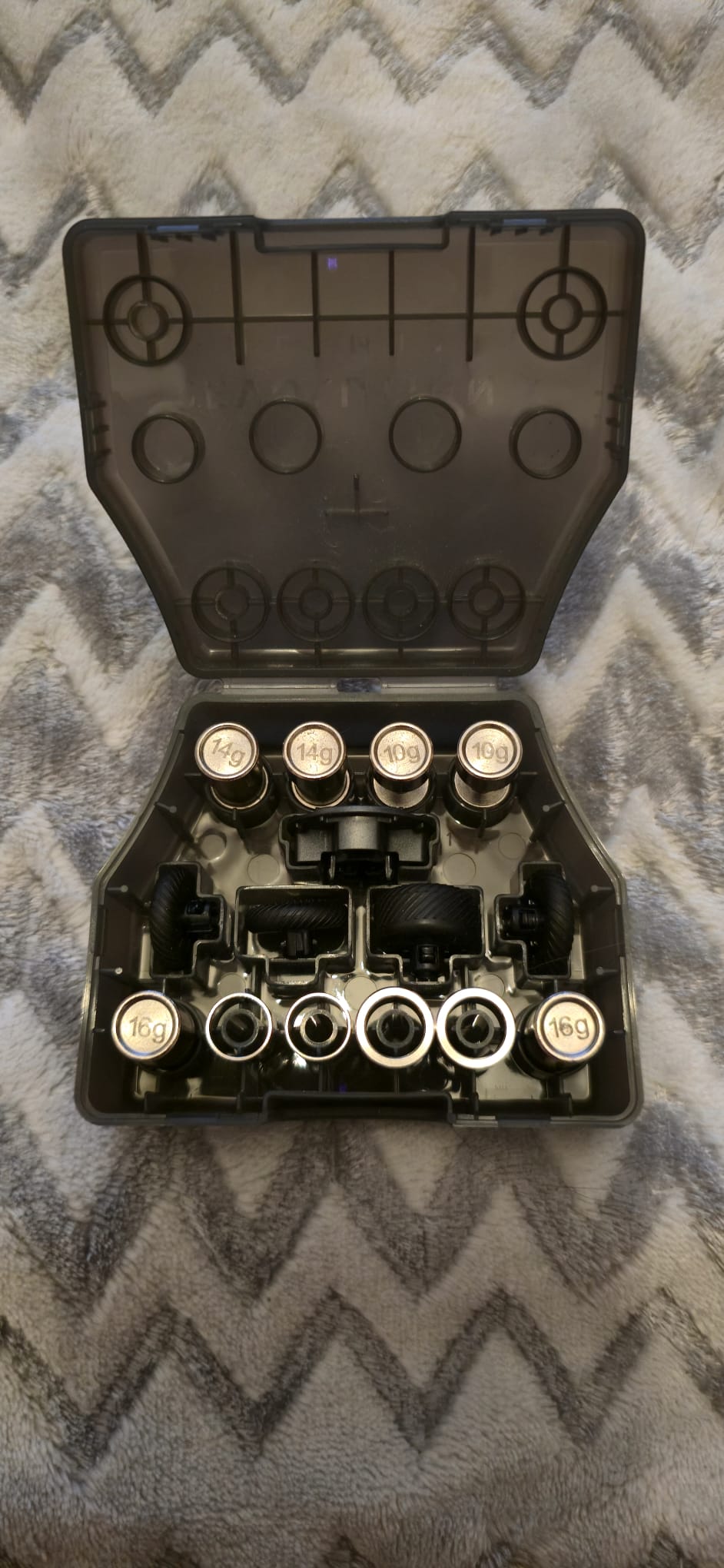
So out of the box it has a great zip up carry case and holds all the extras that it needs if you were to take it with you on a trip or to a friend’s place. It holds the charging cable, the charging dock and what looks like a retainer box full of goodies to help master you gaming controller. The goodies contain 6 Joystick heads; 4 convex and 2 concave, with 2 of the of convex as chunkier heads. 2 Dpad options between an old school 4 way cross or the more circular pad. It contains 3 pairs of weights to help add that extra weight to the controller which I know some will enjoy. Lastly there is the joystick rings to help reduce the joystick movement for precision use when playing FPS games.
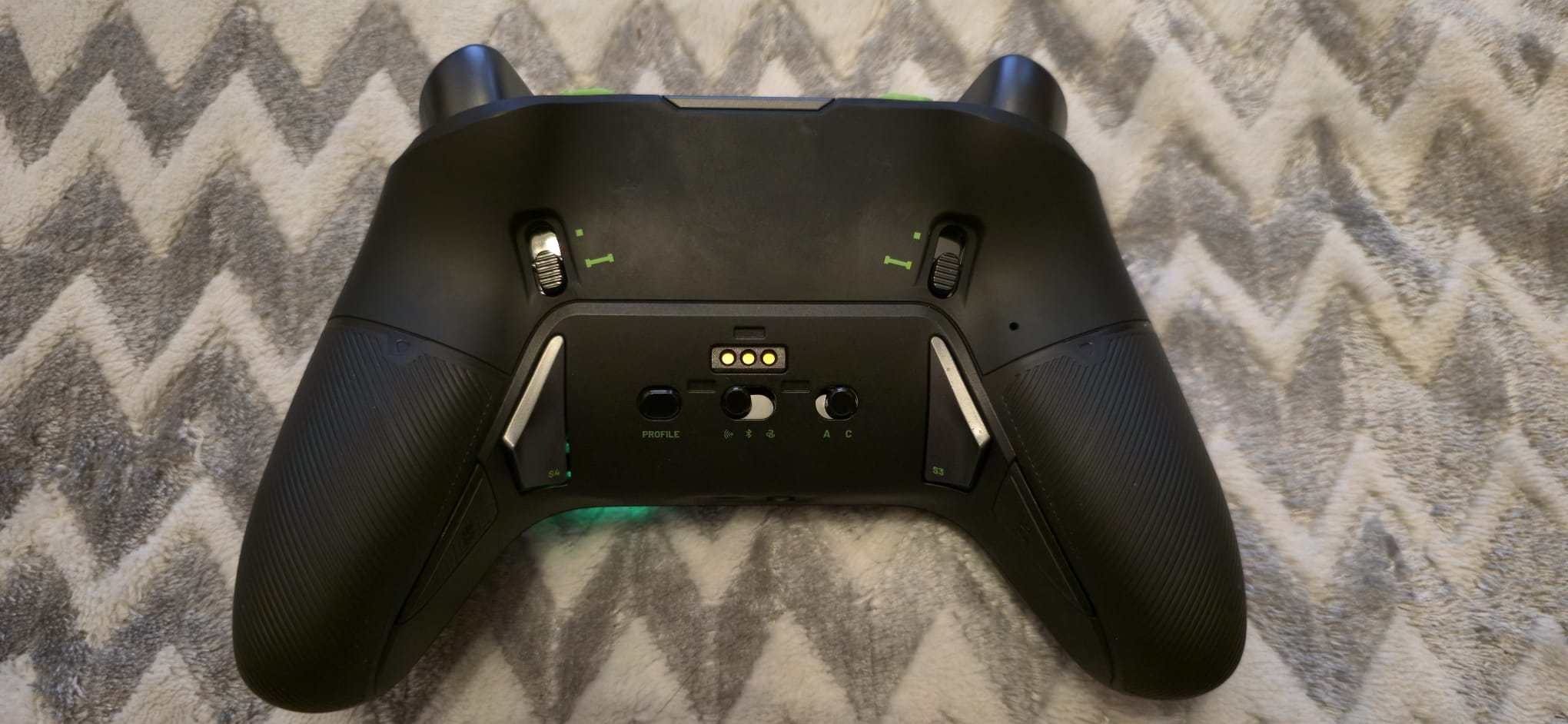
The design of the controller is very close to the original Xbox controller although it feels a bit heavier. I have definitely felt heavier controllers though and for those liking the heft you can increase the weight should you so choose to (which is exactly what I did on the old RevX– ed). I did play around with the weights and although I don’t like my controller that light, I find the natural weight of the controller to be fine. The rubberised grip around the handles I like very much in the hands and reduces and risk of slipping. The hall effect joysticks seem to be the current leading style for precision and elimination of the dreaded stick drift, and I am big fan of them.
When it comes to the other swappable items, I opted for the 4-way dpad as I find that way more comfortable than the circular dpad. As for the joystick heads after trying them all I opted for a convex left joystick head and chunky concave right joystick head. I found that’s the setup that felt the most comfortable for me. The 6 extra buttons for me felt a bit over the top. I do prefer buttons over paddles, but the positions of the buttons don’t work for me. Naturally 2 of the extra buttons sit where your middle fingers rest and 2 sit where your ring fingers rest. In action I keep clipping both at the same time, so I just ended up mapping them both to the same button. The other 2 extra buttons are weird for me as they sit next to the trigger buttons but on the inner side of the triggers. They do not feel natural to me to press have I have to extend my index fingers to rest on them and the only purpose I can see them having is as an alternative to the trigger buttons.


REVIEW UPDATE 12/02/26 – Revolution X Anniversary Edition
Jamie – EIC
In the months since we reviewed the Revolution X, Nacon have revealed a brand new variant of the controller to celebrate the Xbox 360’s anniversary. What we get is the same excellent features as outlined in Graham’s review here, from the interchangable weights to the on-board screen to control profiles, audio and more. This time though, it is styled after the iconic Xbox 360 controller, in grey and off white and with coloured face buttons. It looks fantastic, and hits the nostalgia hard. Even my wife instantly recognised the design and she is about as far from a gamer as you can get.
But easily the coolest part? The screen now features replica Xbox 360 Blades from the iconic (and oft-requested) dashboard of the launch machine. It sadly doesn’t animate, and when we go into the menus it reverts back to the default units screens, but as we boot it we’re greeted with an Xbox green blade that even has little anniversary text on the left blade. It looks very cool indeed, and I got a kick out of this every time I turned it on.
As I said though, the rest of the controller is fantastic as Graham extolls in the rest of this review. I really liked the original Revolution X wired pad for its size and weight, and this wireless version keeps true to that while removing the need for the cable (although it can still be played that way if you wish). That it supports cabled, dongle, and bluetooth play is excellent, and swapping between them is as simple as flicking a switch. This also means it suits PC play perfectly, and with an app available on Xbox and PC to customise profiles/lights/controller behaviour it’s super simple to set up and use.
This has proven to be a great pad to play titles like Fortnite, the recent Romeo is a Dead Man, among others, and I’ll leave it to Graham now to finish telling you why he scored it so highly.
This controller also boasts an LCD screen, 6 mappable buttons, trigger switches and a slider between classic mode and advanced mode. There is also a profile button which allows you to switch between different button mappings for the extra buttons on the fly. Just for added flexibility you can have different profiles when the controller is connected to an Xbox, a PC or device via Bluetooth so if you are organised you can setup your controller with different setups on different devices.
One of the drawbacks for me is the need for the USB dongle to connect the controller to the Xbox or a PC for wireless control. I am someone who uses USB external hard drives for extra storage for games and screen captures. But if I have one attached in one slot and the USB dongle in the other slot occasionally on games my controller will lose connection. This is not a coincidence as it also happens with my Turtle Beach controller, so I have to remove my external hard drives and then controller never drops a connection again. I know it’s a minor annoyance and not everyone will have a setup like this, but I just find dongle connections an inconvenience.
The LCD screen often seen as a gimmick, but I found quite impressive on this controller. Its not bogged down with a lot of options and the speed of the menu on the screen is very fluid. Its useful for visibly seeing which profile you are using, amending volume controls, button mappings and switching the connection between a dongle connection or a Bluetooth connection. There are also some vibration settings and power save options which are nice to have and very simple to look through using the dpad and buttons.
Power wise I found the controller can last about 10 hours of gaming before needing a charge. Obviously, you can have the controller connected wired to if you are running low on battery. The power save option may squeeze a little more time but not much. I also found in this modern age USB C chargers are everywhere around the house so you can easily plug in a charging cable to give it a boost whilst playing.
The only other option under the LCD screen I didn’t mention earlier goes hand in hand with the joystick rings and that is for aiming precision. I do not have the knowledge to dive that deep and even understand it all but put it this way. You can alter the joysticks dead zone, responsive curve and even invert the axis (good lad). Under the response curve for the joysticks, you can choose between progressive, smooth, immediate, delayed or linear. Even reading the online manual didn’t explain the difference but I imagine it’s just a change of pace the joysticks move in game. There is also a shooter pro mode and sensitive + mode under the special options but once again these seem like options for the keenest of FPS players who go the most granular get getting the perfect controls that work for them. That level of precision is wasted on me as I am not the greatest at FPS games and I like the middle ground of not having the sticks too sensitive or too sluggish.
Conclusion
The Nacon Revolution X Unlimited May be a mouthful but in comparison with other similarly priced controllers it more than holds its own. The swappable parts, the hall effect joysticks and strong grip make this controller feel like a premium product. The screen is not just a gimmick and it’s fairly weighted to make the product durable and comfortable to the hand.
Hardware provided by the manufacturer for review purposes.Want to keep up to date with the latest Xt reviews, Xt opinions and Xt content? Follow us on Facebook, Twitter, and YouTube.
Head to https://www.insertcoinclothing.com/, have a browse of their fantastic range of game-inspired clothing, and when you’re ready to buy use the promo code ICXBT24 to get 10% off orders over £50 (not including charity items, bundles, gift cards or postage. All usual fair usage terms apply. It’s one use per person and valid until the end of 2025).


