

I went back and forth on whether to pick up a ROG Xbox Ally X handheld. On the one hand, I love the idea of handheld gaming, and have enjoyed doing it in various forms since the very first Gameboy, and having a powerful enough unit to take a portion of my console games on the go sounded very cool. On the other, I mean, 800 quid is a lot of money. My laptop wasn’t that much and it is, on paper, just as good or better than the specs of the Xbox Ally X. However, a work trip off-shore provided a decent payday, and so the choice was made to reward myself with a unit.
And man, am I glad I did.
If you’re looking for deep tech breakdowns of the ROG Xbox Ally X, you’re best off heading to Digital Foundry or the like. What I’m going to focus on in this review is real world uses, and how it feels to play. And in this regard, there’s very little to fault with the Ally X.
As it’s a handheld PC, there is of course a bit of a set up before you can get going. Anyone who has used a new desktop or laptop will know what to expect here, with updates, drivers, and all manner of things to prepare. Those looking for console-like onboarding might be in for a shock. Although, to be fair, our hands are held pretty well through the process and, depending on your download speeds, this may not take all that long to get through.
Once we have that out of the way, we’re looking at the new Xbox Full Screen Experience, a tweaked version of the PC Xbox app that hosts our games, the Xbox store, and things like achievements, etc. At launch, it was a little too slow at times, but as of writing this I find it to be a fantastic bit of software. Is Steam (and its Big Picture mode) better? It’d be hard to argue against it, but as an Xbox-first player I find the FSE perfectly usable. It even collates all of our libraries into one section, showing installed games from Xbox, Steam, Epic, Ubisoft, EA, and GOG, and allows us to launch them from the app directly rather than having to open up the other launchers. It’s a neat touch, and makes it far easier to keep track of what we have installed and taking up valuable SSD space.
When the Xbox Ally X boots into this FSE, it also limits the Windows of it all, freeing up more RAM and resources for the games to run. With 24GB of RAM available we can choose how much is allocated to gaming, while the rest is left for background processes. Again, this is not going to be a technical deep dive, but setting it to about 12GB seems to work brilliantly considering the 1080p screen we’re dealing with, as well as the other AMD features like RiS that can help performance in their own ways.
There is a lot to learn if you really want to dig deep into how each game runs, but generally – especially for newer games – the software will autoconfigure itself pretty well when we boot it up. I do like to go in and see just how much extra I can squeeze out of it, and a lot of recent games run brilliantly on High or Ultra settings. Playing Call of Duty: Black Ops 7 may not be as fun as last year’s entry, but it performs perfectly with most things set to the higher end, while Fortnite even lets us have some form of Ray Tracing for shadows and reflections without too much of a performance hit.
At this point I’ve probably played a couple dozen games in it with all sorts of tech demands: fast FPS action in Splitgate: Arena Reloaded; indie title and GOTY 2021 Lake; wonderful horror SOMA; and 2024’s South of Midnight, and all these and more have run brilliantly. The only title I’ve had even remote issues with was Game of the Decade Clair Obscur: Expedition 33, which for some reason failed to auto-configure properly. Knocking a few settings down solved the problem, and it still looked and ran well enough for it to see me through the end of my NG+ run.
Things get a bit dicier when it comes to controls. As this is running the PC versions of software, there will be games – especially older Steam titles – that either have limited or no controller support. We can connect mouse and keyboard, but that feels antithetical to the purpose of the handheld, so it’s something to be mindful of going in.
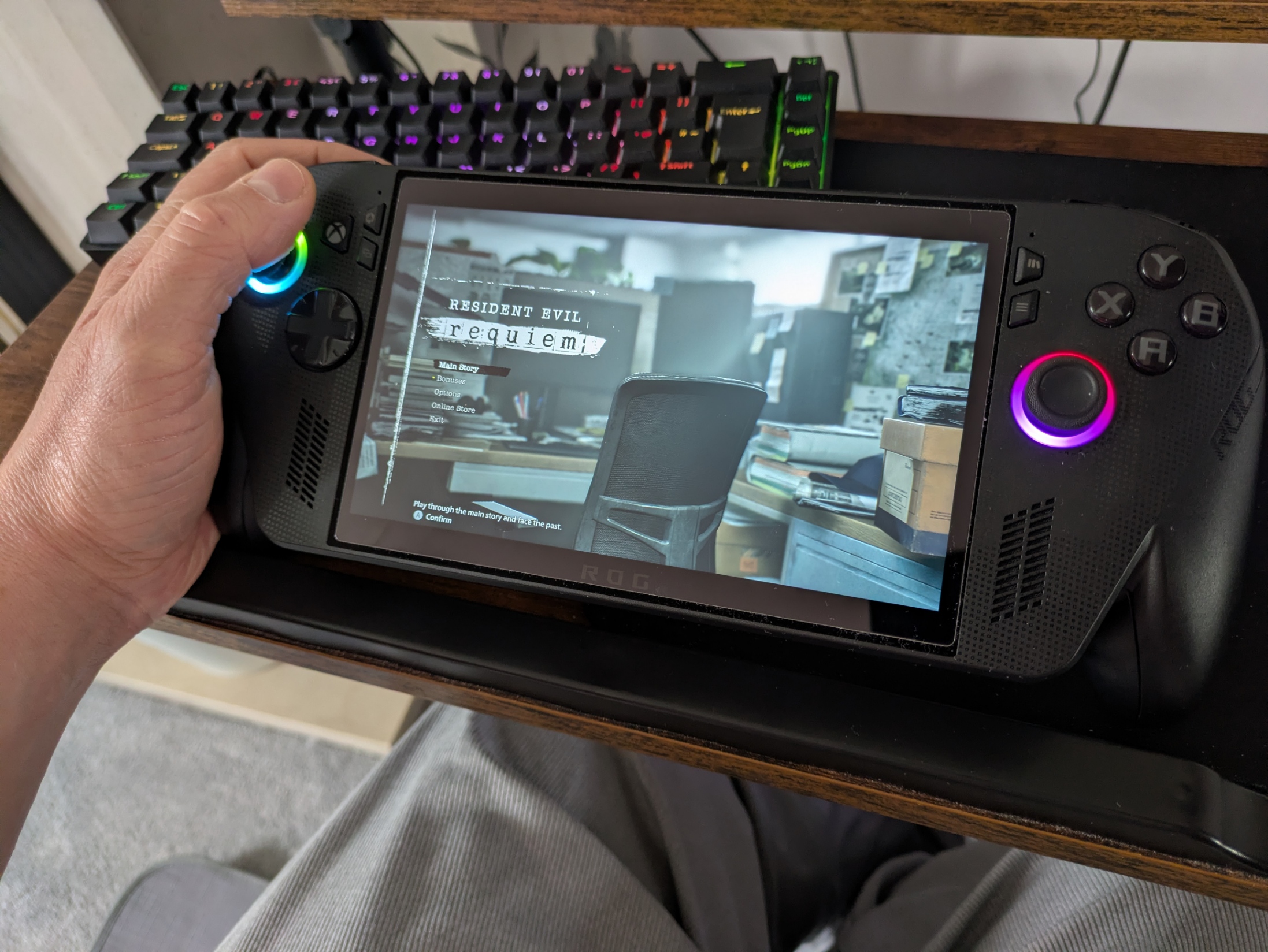
For those games that do support controllers, though – which is the majority of newer releases – this works flawlessly. The actual inputs on the Xbox Ally X are chunky and satisfying to use, with a genuine Xbox controller feel to all of them. If you regularly play with an Xbox pad, you’ll feel right at home here. There are options in the Armoury Crate app to customize the back buttons or tweak the sensitivity of the sticks and triggers but, again, out of the box this feels about as close to a new console as we could have hoped.
We can also swap from the FSE to a full Windows mode, where it effectively becomes a proper handheld PC. This opens up your options for using the device. It would be perfectly good, I’m sure, at handling some video or photo editing software, and browsing the web is as simple as touching the browser of choice and going from there. The touchscreen is a great replacement for a mouse proper, although some sites and apps don’t play too nice with it. And, again, you can always connect a mouse and keyboard via Bluetooth if needs be.
When returning to the FSE we are prompted to restart the device to regain the performance boosts that are lost by going into Windows mode, although we don’t have to, and the few times I’ve not bothered I can’t say I’ve noticed a huge difference.
I’ve had the ROG Xbox Ally X since just after launch and have used it almost daily with very little to complain about. Sure, it won’t run my full Xbox library (only PC and Xbox Play Anywhere games are compatible), but it does run a much larger selection than I expected, with more being added all the time. In fact, if I see Xbox Play Anywhere on the store page now, I’m immediately more interested in checking it out. It’s helpful knowing I can hop on while the kids hog the big TV, then head on to the console when they’re in bed, with my save data seamlessly transferring via the cloud without any extra input from me.
I do hope that down the line they can get the majority of Xbox games, including original Xbox and 360 games working on there, but for now there’s still a lot to play – especially if you have games on other services. Looking at my list of played games from this year alone shows that 7 out of 10 Xbox games I’ve played so far support Play Anywhere, and that’s without the Steam and Epic games I’ve delved into.

The only other issue I’ve run into with the device is one of user error, but I can’t help but feel this could be clearer when setting it up. By default, pressing the power button turns the console on (obviously) but not off, instead putting it in standby mode. This means the device can be woken with a button press or a shake, even accidentally.
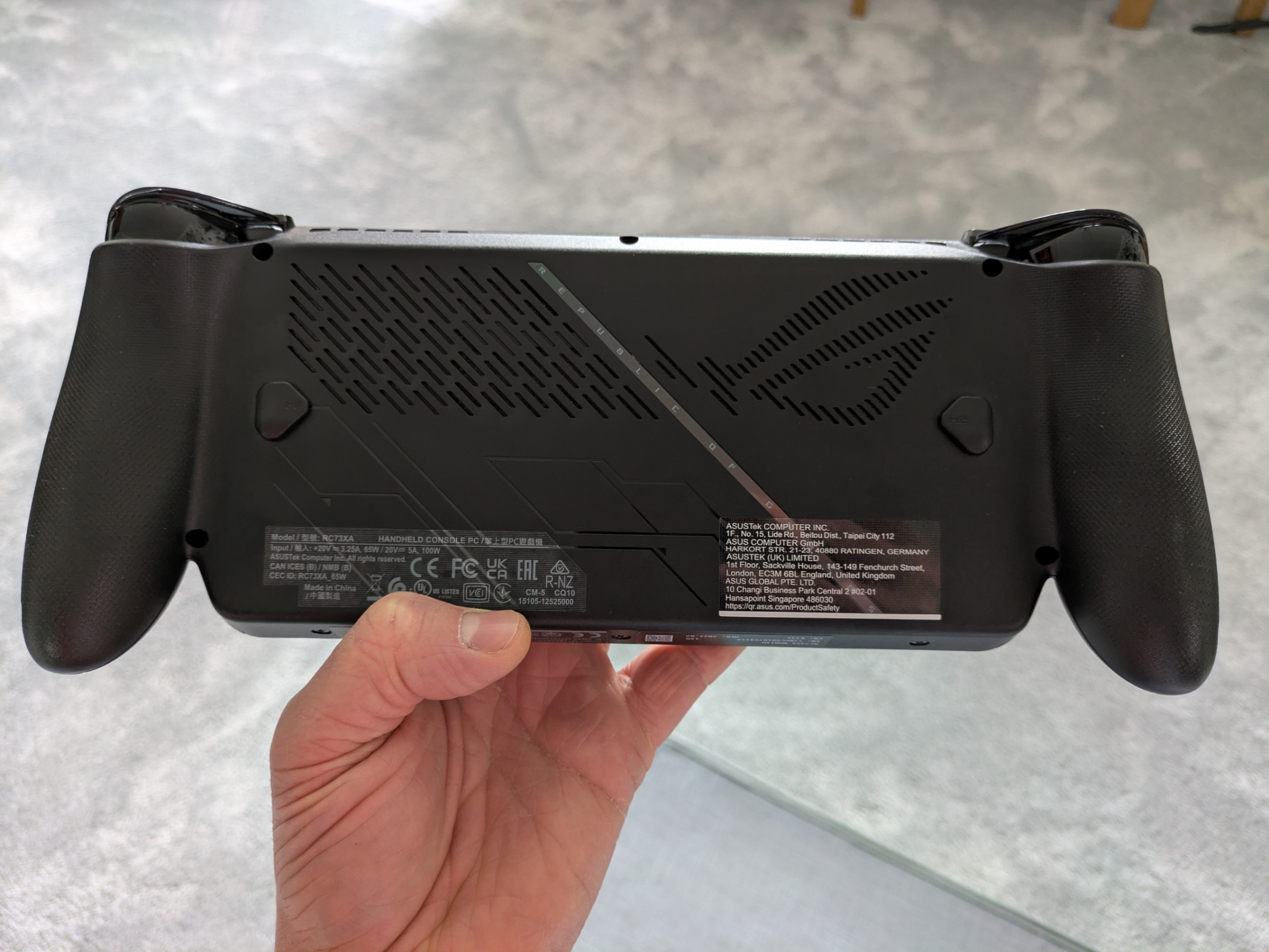
As I like to try and look after my electronics, I bought the Venom hard carry case to protect the Xbox Ally X. Once, after showing off Clair Obscur: Expedition 33, I pressed the power button and thought I’d turned it off, only to find it 20 minutes later not just running but cooking inside the case. With no ventilation and while running an intense game, the Xbox Ally X gets hot, so much so that the power button was almost painful to touch and the screen began to black out across 75% of the panel. Luckily, I was eventually able to power it off and let it cool, and it has shown no signs of permanent damage, but I must admit my heart was in my throat for a minute.
Another time I accidentally powered it on, I assume, by turning on a controller I had paired it with. I only found it hours later when I went to play, with it clearly having been powered on the whole time and getting so hot it had shut itself down. It took a while for it to recover here but, happily, once again seemed to show no signs of damage. It now lives outside of its case, but I had to resort to Reddit to tell me to change the power button settings so it shuts it down properly (linked here for you).
Again, user error is in play, but having there be part of the set up or even a tooltip regarding this would have been nice and saved me a lot of panic as I blasted cool air onto my roasting handheld.
Other than that, I’ve no real qualms with how well the device performs or feels to use. Being based on an Xbox controller means we have some excellent ergonomics, the screen is fantastic despite not being an OLED, and the majority of games (at least as far as my library goes) are a joy to play on it. Sure, the Windows aspect means we get a ton of updates, and even more from the Armoury Crate app, but then again even the Series X has its fair share of updates these days.
Conclusion
Being able to take a good chunk of my Xbox library – and all of my other game libraries – on the go, or simply sat on the sofa or in bed, has been fantastic, and I find I’m playing not just more games, but a more varied selection of them as well. There’s gems from the past that I’ve finally managed to get to, and seeing the likes of Halo or Resident Evil 2 running on there is still mind boggling to me. It’s a hefty bit of kit, and certainly not cheap, but I genuinely do not regret my purchase one bit. As long as I don’t eventually overheat it to the point of no return, I’ll use it regularly going forward without a doubt.
Hardware purchased for review.Want to keep up to date with the latest Xt reviews, Xt opinions and Xt content? Follow us on Facebook, Twitter, and YouTube.


